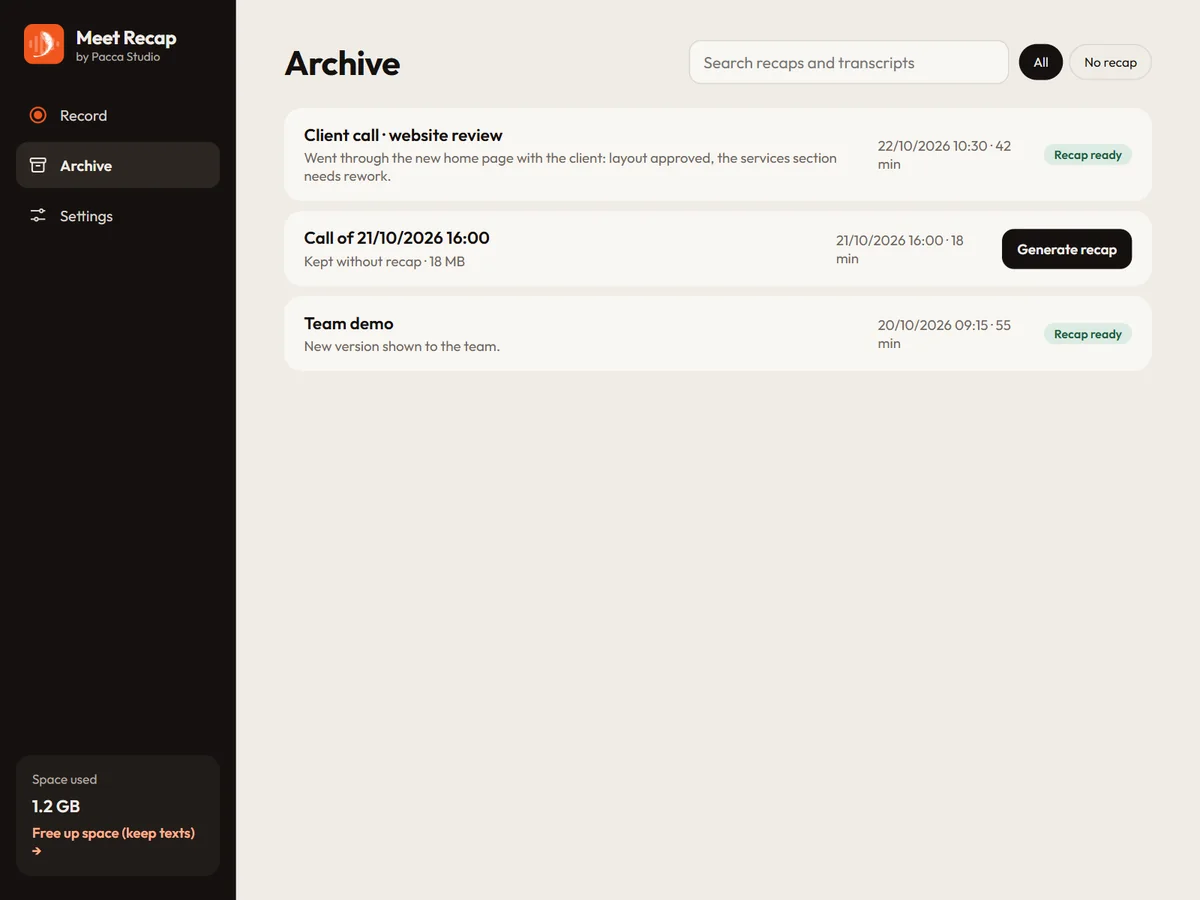
Archive with search
Every meeting stays in the Archive with audio, video, transcript and recap. Search for a word in recaps and transcripts, generate a recap later, and free up space while keeping the texts.

Windows app · by Pacca Studio

Records the meetings you take part in, on Meet, Teams, Zoom or in person, and writes the transcript and the recap for you: key points, decisions and who does what.
It uses your own OpenAI key: recordings, transcripts and recaps stay on your PC.
For Windows · version 7.0 · prices include VAT
The desktop version is Windows only for now: Linux and Mac versions are coming soon.
How it works
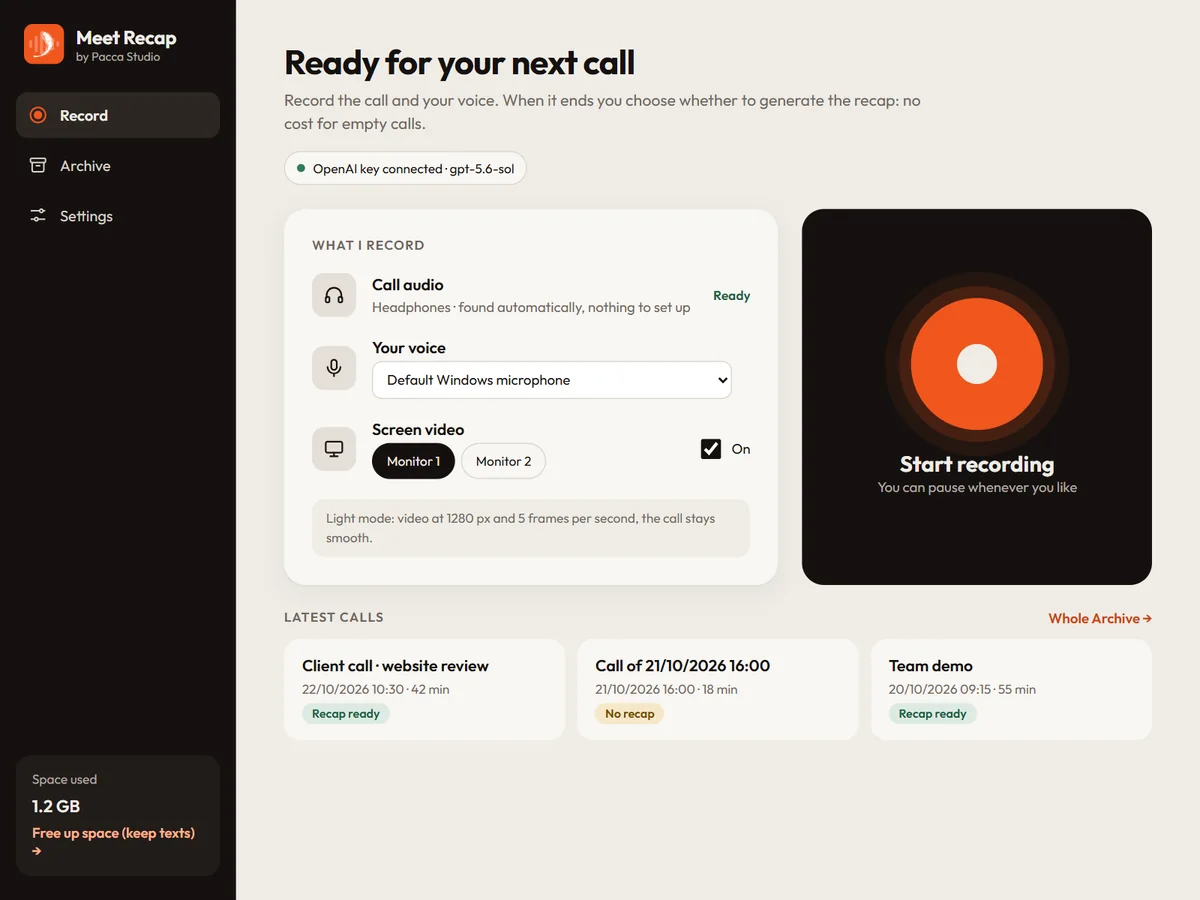
Press the button: the app takes the call audio and your voice from the microphone, and the screen video too if you want. It works with Meet, Teams, Zoom and any other platform, or with a meeting in person.
When the meeting ends you decide: generate the recap, save without a recap or delete. Before generating it you see what it will cost with your OpenAI key.
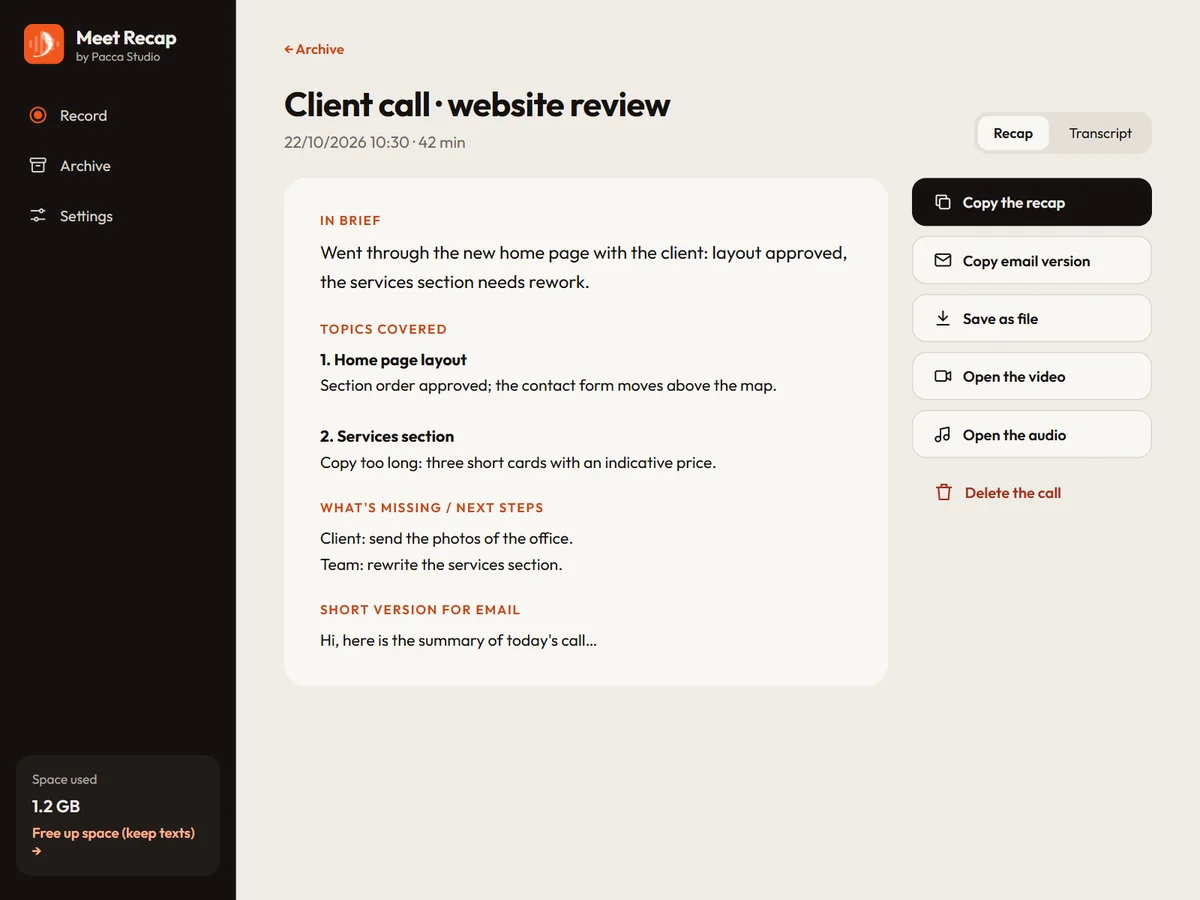
The meeting is transcribed and the AI writes the recap by topic, with the key points, the action items and the next steps, plus a short version to send by e-mail.
Features
Every meeting stays in the Archive with audio, video, transcript and recap. Search for a word in recaps and transcripts, generate a recap later, and free up space while keeping the texts.
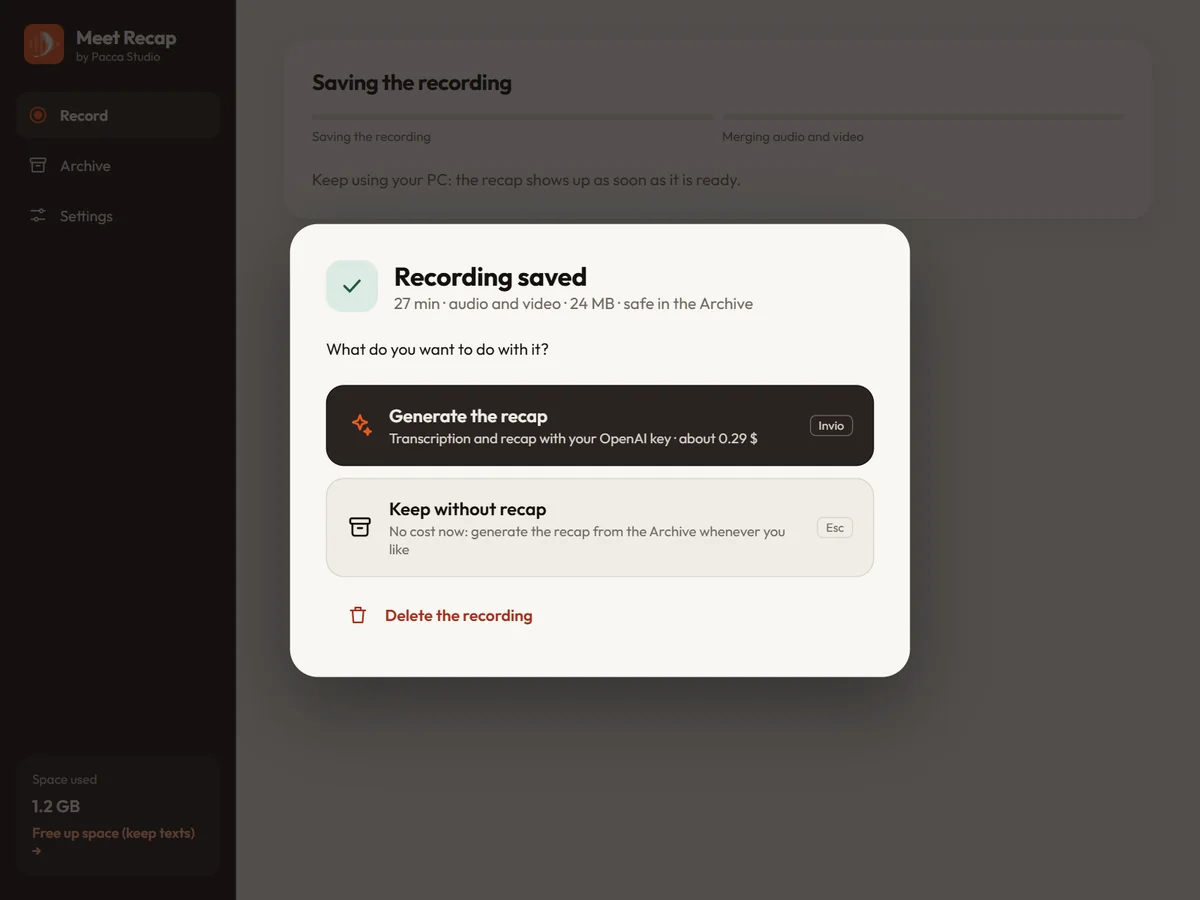
You pay OpenAI for transcript and recap with your own key, as you use it: before generating the recap the app shows you the estimated cost, and you can do it later.
Fix the title and the text, say a name or a term the AI got wrong. The recap written by the AI stays saved and you can restore it any time. Copy it, save it as a file or copy its e-mail version.
When the meeting is in the browser, the extension records the Chrome tab itself. The recording lands in the app's Archive and goes the same way: same transcript, same recap.
Your data
Meet Recap works with your own OpenAI API key. Recordings, transcripts and recaps live on your PC: Pacca Studio has no server in between and never receives your meetings.
The audio goes to OpenAI, with your key, only when you ask for a recap. If you want, the app also keeps a copy on a WebDAV space of yours (Nextcloud, for instance).
You pay OpenAI directly for its use, apart from the licence: that is why the app shows you the estimated cost before every recap.
Every detail, for Windows and for Android, in the Meet Recap privacy notice.
Pricing
Prices include VAT.
€0 30 days
Every feature for 30 days. The trial key arrives by e-mail.
Try it free for 30 days€39 per year
Every feature for a year.
Buy€79 once
Pay once and Meet Recap is yours, with no expiry.
BuyIncluded in the licence: the Android app for meetings in person (coming soon to Google Play).
You buy on Lemon Squeezy, which sells Meet Recap on behalf of Pacca Studio: pay by card or PayPal, and Lemon Squeezy takes care of the receipt and of your country's VAT. On the payment page you choose yearly or lifetime.
Right after the payment the licence key arrives automatically at the e-mail address you gave, with no waiting and no manual step. Paste it in Meet Recap and the app is active.
The trial works the same way: with «Try it free for 30 days» you leave your e-mail and the trial key arrives at once.